Virginia Menino AI: One Photo or Two Photos?
Last updated:
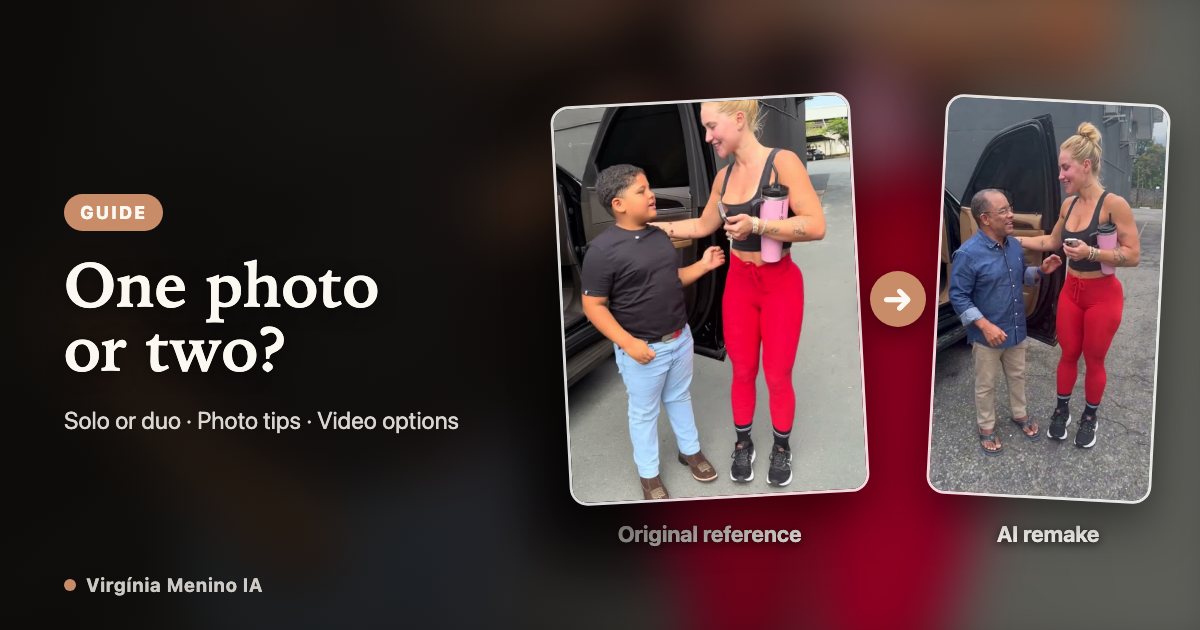
One photo changes the singer; two photos change both people. This guide helps you choose the portraits for Virgínia Menino IA, assign each role and check the images before uploading. For prices, rendering and downloading, use the complete video tutorial.
Reference footage and AI remake examples
One photo vs two photos: which role changes?
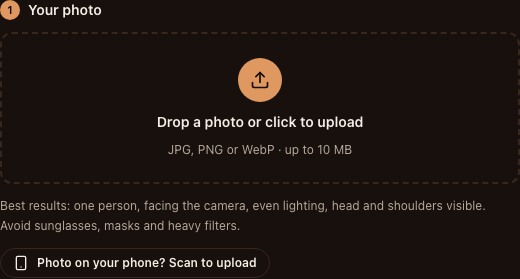
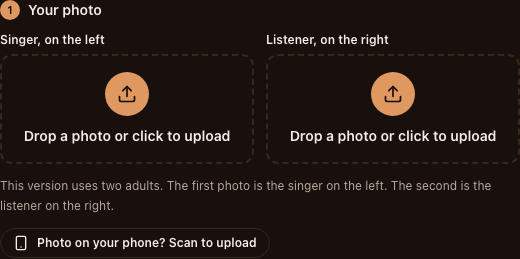
“Just me singing” uses one portrait for the singer on the left and keeps the reference listener. “Both of us” uses two separate portraits: singer first, listener second. There is no listener-only mode.
| Your goal | Version | Upload |
|---|---|---|
| Replace only the singer | Just me singing | One adult portrait in the singer slot |
| Replace the singer and listener | Both of us | Portrait 1: singer on the left. Portrait 2: listener on the right. |
| Replace only the listener | Not available | Choose one of the two supported versions |
Two photos means two individual portraits
Use one adult per file, even when your goal is a couple or friend version. A shared selfie or a collage does not tell the model which person belongs in which slot. Choose the singer first, put that portrait in the first upload slot, then add the listener to the second slot.
Look at both thumbnails before submitting. A suitable portrait in the wrong slot still gives you the wrong casting. The two photos do not need matching backgrounds: they supply identity and appearance, while the template supplies the parking-lot scene.
What a useful portrait shows
Keep the eyes, mouth, jaw and hair visible, with some room around the head and shoulders. Use even light and a natural expression; you do not need to pose as if singing. A front or gentle three-quarter view reveals more identity detail than an extreme profile.
Choose clothing you are comfortable seeing in the result. The template requests the portrait’s face, hair, outfit and adult proportions, but fine patterns and accessories can change during motion. Use photos of yourself or adults who agreed to appear.
| Less useful photo | Better choice | Why |
|---|---|---|
| Several people or a collage | One adult in each file | Makes the intended identity clear |
| Dark glasses, mask or a hand on the face | Visible eyes, mouth and jaw | Gives the model more facial detail |
| Backlit selfie or heavy beauty filter | Sharp portrait in even light | Preserves readable facial features |
| Very tight face crop | Head and shoulders with space around them | Keeps the face outline and hair visible |
| Extreme profile | Front or gentle three-quarter view | Shows more of both eyes and the jaw |
Check the file and crop before uploading
Each file must be JPG, PNG, WebP, no larger than 10 MB, with both sides at least 300 pixels. The long side must be no more than 2.5 times the short side.
Crop a long screenshot back to the actual portrait and remove app controls. Keep enough space around the head and shoulders; stretching a small image or exporting it at a larger size does not restore missing face detail. Check each portrait separately in the two-photo version.
Ready with your portraits? Continue to the video tutorial
Before continuing, confirm the number of files, role order, face visibility and consent. If likeness changes in the finished clip, review the affected frames and the source portrait; a clearer reference may help, but does not guarantee a perfect face or gesture.
The full walkthrough covers duration, resolution, current credits and prices, task status, sound and downloading.
FAQ
Can I upload a couple selfie instead of two portraits?
Use two individual portraits, one adult per file. If you crop a shared photo into separate files, each crop still needs a clear face and must meet the image-size requirements.
Which photo goes first?
The singer on the left goes first. The listener on the right goes second. Check both thumbnails before starting generation.
Do the portraits need the same background?
No. They provide identity and appearance; the preset supplies the scene. Prioritize clear faces rather than matching backgrounds.
Can one photo replace only the listener?
No. The one-photo version replaces the singer. Replacing both roles requires two portraits.
Your Meme da Virgínia e o Menino moment is one photo away
Create my video